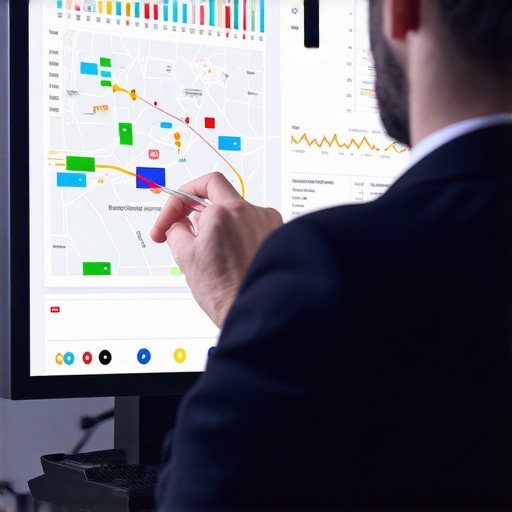
How We Fixed a Map Profile That Was Getting Clicks But No Calls
If you have been managing a local business for any length of time, you know the specific brand of frustration that comes with a “successful” Google Business Profile (GBP) that doesn’t actually generate money. You open your dashboard, see hundreds of “interactions,” and watch your impressions climb, yet your office phone remains as silent as a graveyard. This is the “Ghost Click” phenomenon, and it is one of the most common issues I encounter as a google business profile seo consultant.
In the world of local search, ranking is only half the battle. You can rank higher on google maps and still fail to convert that visibility into a customer. Why? Because there is a massive psychological and technical chasm between “Discovery” (someone seeing your pin on a map) and “Conversion” (someone actually pressing the call button). Research consistently shows that clicks without conversions usually mean your ad-copy, profile details, or digital “storefront” don’t match the user’s intent. If your profile looks like a generic placeholder, users will treat it like one – they’ll click to see your hours or address and then immediately bounce to a competitor who looks more trustworthy.
Before we dive into the fix, we have to understand that Why Your Business Map Embeds Aren’t Moving the Needle on Rankings often stems from the same core issue: a lack of engagement-driven optimization. If you aren’t giving Google – and more importantly, the user – a reason to stay on your profile, you are simply a ghost in the machine.
Section 1: The “Ghost Click” Phenomenon
What exactly is a ghost click? In the GBP dashboard, Google tracks “Interactions.” These include clicks to your website, requests for directions, and clicks to call. However, “interactions” can be misleading. A user might click your profile just to see if you are open, realize you don’t have any recent photos, and leave. Or, they might click “Directions” only to realize you are too far away because your service area is poorly defined. These are clicks that inflate your ego but starve your bank account.
The distinction between discovery and conversion is vital. Discovery is an SEO problem; conversion is a branding and trust problem. When we talk about google business profile seo, we aren’t just talking about where you sit in the Map Pack. We are talking about how you present your business to a person who has a problem that needs solving right now. If the phone isn’t ringing, the disconnect exists in the “trust signals” you are sending during those few seconds a user spends on your profile.
Section 2: The Diagnostic Audit: Why the Phone Isn’t Ringing
When a client comes to me with high visibility but low lead volume, the first thing I do is run a comprehensive audit. You cannot fix what you cannot measure. Using a professional google business profile audit tool is the only way to see if the issue is technical, reputational, or related to the current algorithm shifts.
One of the biggest traps I see business owners fall into is checking their own rank from their office desk. As I’ve discussed in my guide on Why Checking Your Own Map Rank From the Office Is Sabotaging Your Growth Strategy, your local results are biased by your physical proximity. To get a real diagnostic, you need to see how you appear to a customer five miles away.
Proximity vs. Authority
Google’s algorithm relies on the triad of Proximity, Relevance, and Prominence. You might rank #1 for “plumber near me” simply because you are the closest physical office to the user (Proximity). But if your “Prominence” (reviews, authority, and brand trust) is lower than the guy at #3, the user will skip right over you. Users are savvy. They would rather drive an extra two miles or wait an extra hour for a business that has 500 five-star reviews than call the guy next door who has three reviews from 2019. If you rank for proximity but lack authority, you will get “clicks” from people looking for a quick address, but you won’t get the “calls” from people looking for a professional service.
To bridge this gap, you must use local seo ranking tools to identify where your authority is lagging behind your competitors. Are they posting more often? Do they have more keywords in their reviews? These are the factors that turn a “view” into a “lead.”
Section 3: The 5 Conversion Killers on Google Maps
Through my work as a consultant, I’ve identified five recurring themes that kill conversions. If your map profile is underperforming, one of these is likely the culprit.
Killer 1: Category Mismatch
This is a silent lead killer. Many businesses choose a “General” category when a “Specific” one would serve them better. If you are a “Personal Injury Lawyer” but your primary category is just “Lawyer,” you are competing in a massive pool. More importantly, you might be attracting “Ghost Competitors” – businesses that aren’t actually your rivals but are stealing your clicks because they have optimized for niche sub-categories that trigger the Map Pack more frequently. Correcting your primary and secondary categories is the foundation of any google business profile optimization project.
Killer 2: The Photo Gap
The data is undeniable: Google Business Profile photos can lead to 10x more customer calls. Humans are visual creatures. If your profile is filled with grainy, dark photos taken on a 2015 smartphone – or worse, just a Google Street View image of your parking lot – you are telling the customer you don’t care about details. High-quality, professional photos of your team, your office, and your completed work provide the “social proof” needed to trigger a phone call. I always recommend at least 20-30 high-res photos to start, with regular updates every month.
Killer 3: Missing “Call” CTA or Broken Tracking
Sometimes the issue is technical. If you are using third-party tracking numbers that aren’t properly integrated, or if your Google Tag Manager (GTM) and GA4 settings are misconfigured, it might look like you aren’t getting calls when you actually are. However, more often, the “Call” button is there, but the business hasn’t enabled “Call History” or “Messaging,” making it harder for the user to reach out in the way they prefer. You should also ensure your phone number is clickable and consistent across the web.
Killer 4: The “Review Ask” Failure
It’s not just about having a 4.8-star rating. It’s about recency and keywords. If your last review was six months ago, Google (and customers) might think you’ve gone out of business. Furthermore, reviews that contain specific keywords (e.g., “best emergency plumber in Dallas”) help you rank for those specific long-tail searches. You need a system like the one I describe in The Review Ask That Actually Gets Busy Clients to Open Their Phones to ensure a steady stream of fresh, keyword-rich feedback.
Killer 5: Unoptimized Services Menu
Many businesses leave their “Services” section blank or let Google auto-populate it. This is a mistake. The services menu is a prime piece of real estate for local seo services. By clearly defining what you do, with descriptions and pricing where applicable, you answer the customer’s questions before they even have to ask. This reduces the friction to calling you.
To find these leaks, I recommend using local seo tools to scan your profile against the top-performing competitors in your niche.
Section 4: Technical Fixes to Force the Call
Once the visual and reputational elements are in place, we have to look at the technical “under the hood” components. This is where google business profile seo gets granular. To force the call, your profile needs to be deeply integrated with your website’s local data.
Local Schema Markup
Your website and your GBP should be in a constant state of communication. By implementing “LocalBusiness” schema markup on your site, you provide search engines with structured data that confirms your NAP (Name, Address, Phone) consistency. If there is a discrepancy between your website and your map profile, Google will lose trust in your data and demote your ranking. I’ve seen cases where fixing 4 Missing Schema Details That Are Secretly Tanking Your Local Map Rank resulted in an immediate jump in both visibility and calls.
NAP Consistency and Data Aggregators
Consistency is key. If your phone number is listed differently on Yelp, Yellow Pages, and your GBP, it creates “data noise.” Google prefers a clean signal. Use google maps seo tools to audit your citations and ensure that your NAP is identical everywhere. This builds the “Prominence” part of the algorithm triad.
Tracking Intent with Rank Trackers
Not all clicks are created equal. You need to know which keywords are driving the right kind of traffic. Are people finding you by searching for your brand name (low intent/existing customers) or by searching for a service (high intent/new leads)? By using a google maps rank tracker, you can see if you are ranking for “emergency water heater repair” or just “plumber.” The former is much more likely to result in an immediate phone call. If you are ranking for broad terms but not specific services, your conversion rate will naturally be lower.
Leveraging google maps lead generation tools allows you to see the exact journey a user takes. If they are landing on your profile and then clicking your website, but not calling, the issue might be your website’s mobile optimization. In 2026, over 80% of local searches happen on mobile devices. If your site takes more than 3 seconds to load or has a tiny “Call Now” button, you are flushing leads down the toilet.
Section 5: Case Study: The Turnaround
To illustrate how these changes work in the real world, let’s look at a client of mine: a high-end family law firm in a competitive metropolitan area. When they started, they were already in the Top 3 for “divorce lawyer near me.” They were getting thousands of impressions and hundreds of clicks to their website, but their lead volume was stagnant. They were effectively paying for SEO that wasn’t producing ROI.
The Scenario
The firm had a 4.9-star rating, but most reviews were from three years ago. Their photos were stock images of gavels and law books. Their primary category was “Lawyer,” even though they specialized exclusively in family law. They were ranking, but they weren’t connecting.
The Fix
We implemented a three-pronged strategy to rank google business profile assets more effectively for conversion:
- Category Refinement: We changed their primary category to “Family Law Attorney” and added specific secondary categories for “Divorce Lawyer” and “Child Custody Attorney.”
- Visual Overhaul: We replaced stock photos with high-quality “behind the scenes” shots of the attorneys in the office and video testimonials from satisfied clients (with permission). This humanized the firm.
- Review Velocity: We implemented an automated review request system that targeted clients immediately after their cases were closed. This increased their review recency and added key terms like “compassionate” and “aggressive representation” to their profile.
The Result
Within 30 days, their total interactions didn’t actually increase that much – but their click-to-call volume increased by 40%. By narrowing their focus and increasing their trust signals, we stopped attracting “looky-loos” and started attracting people ready to hire an attorney. We also worked on How We Bridged the Proximity Gap to Reach Customers Two Miles Away, which expanded their reach into wealthier suburbs that they previously hadn’t touched.
Section 6: The 2026 Local SEO Checklist
The landscape of local search is constantly evolving. What worked in 2022 won’t necessarily work today. As we look toward the future, here is a checklist of what you should be monitoring to ensure your profile stays visible and profitable. For a deeper dive, check out The 2026 Google Business Profile Checklist: What We Are Changing to Stay Visible.
- Mobile Performance: Is your website’s mobile experience flawless? Google uses mobile-first indexing, and users have zero patience for slow sites.
- AI-Driven Intent: Google is getting better at understanding “why” someone is searching. Ensure your “Services” and “Q&A” sections use natural language that answers common customer questions.
- Hyper-Local Mentions: Mention local landmarks, neighborhoods, and community events in your GBP posts. This reinforces your relevance to a specific geographic area.
- Video Content: Short-form video (under 30 seconds) is becoming a massive engagement driver on GBP. Show, don’t just tell.
- Attribute Accuracy: Are you “Women-led”? “Veteran-owned”? Do you offer “Wheelchair accessible parking”? These attributes are often used as filters by users.
You can also find more “under the radar” tips in my guide on Enhance Your Map Views Naturally: Real-World SEO Insights and learn Why Your Rival Dominates the Map Pack with Zero Backlinks.
Conclusion: From Ranking to Revenue
Ranking on Google Maps is a vanity metric if it doesn’t lead to revenue. If you are seeing clicks but no calls, it is a clear signal that your digital “handshake” is weak. You are being seen, but you aren’t being trusted. By focusing on the google business profile seo strategies outlined above – refining your categories, boosting your visual trust, and fixing your technical schema – you can turn those “ghost clicks” into tangible leads.
Don’t let your competitors steal the leads that should be yours. Whether you choose to use a local seo software suite to manage it yourself or hire a professional google business profile consultant, the time to act is now. Audit your profile, find the leaks in your conversion funnel, and start making the phone ring again.